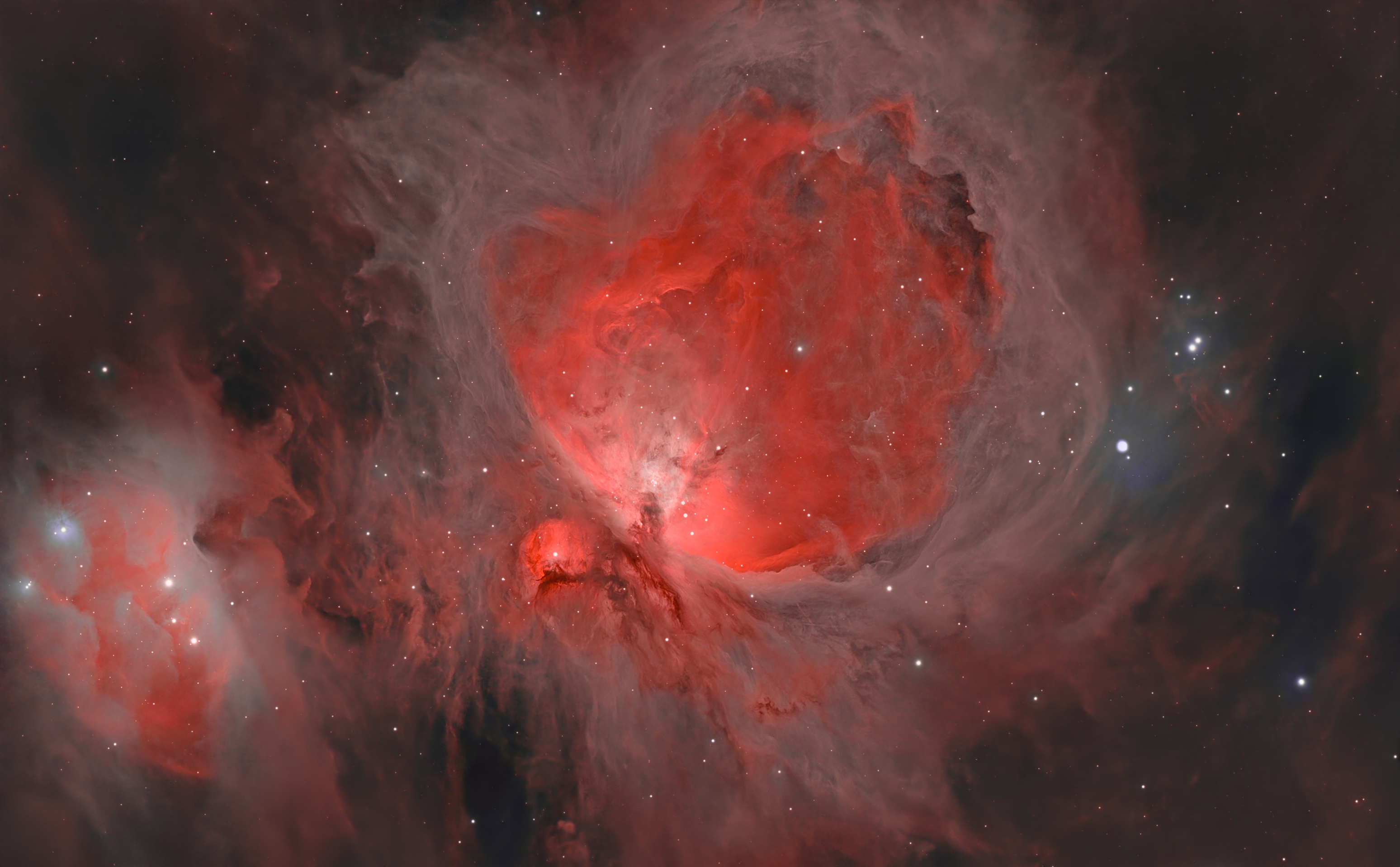

According to Wikipedia - The Orion Nebula (also known as Messier 42, M42, or NGC 1976) is a diffuse nebula in the Milky Way situated south of Orion's Belt in the constellation of Orion,
and is known as the middle "star" in the "sword" of Orion. It is one of the brightest nebulae and is visible to the naked eye in the night sky with an apparent magnitude of 4.0.
It is 1,344 ± 20 light-years away and is the closest region of massive star formation to Earth. M42 is estimated to be 25 light-years across (so its apparent size from Earth
is approximately 1 degree). It has a mass of about 2,000 times that of the Sun.
The nebula glows due to the intense ultraviolet radiation fron a star cluster known as the Trapezium Cluster at its center. These are huge O type stars, 15 to 30 times the mass of the Sun,
and over 200,000 times its luminosity.
| RA: | 5:35:16 |
| Dec: | -5:23:01 |
| Date: | 8 December, 2023 plus 8 February 2024 |
| Exposure: | 2 hour (24 X 5 minutes) |
| Conditions: | Bortle 4 to 5 skies, reasonable seeing |
| Gain: | 100 |
| Camera: | Zwo ASI2600MC-Pro |
| Optics: | Prime focus of a SkyWatcher Esprit 120 f/7 APO refractor with a focal length of 840 mm |
| Filter: | Optolong L-eNhance |
| Location: | St. Croix, Nova Scotia |
Processed entirely in PixInsight using several plug-ins, Blur Exterminator for deconvolution, Noise Exterminator for noise reduction, GHS for stretching, Seti-Astro
suite for gradient removal and StarNet++ to produce a starless image.
1. Calibration, stacking and drizzle combining, increasing the resolution by 2, done using the WBPS.
2. Deconvolution using Blur Exterminator.
3. Spectrophotometric Colour Calibration used to calibrate the colour of the image and remove the green cast.
4. Gradient removal using Seti-Astro's Automatic DBE.
5. Noise reduction using Noise Exterminator with three iterations.
6. StarNet++ was used to produce a starless image and PixelMath was used to produce a star only image.
7. GHS was used multiple times to stretch the starless image, with the first stretch using colour mode to enhance the colour in the nebula.
8. The unstretched nebula image was stretched two more times, once for the midtones and once for the core. All the stretched images were combined using blurred masks and pixel math to maintain as much detail into the core as possible.
9. Local Histogram Equalization was used with a mask to enhance the core contrast of the nebula.
10. Unsharp mask used to sharpen the core detail using the same mask.
11. TVGDenoise used to smooth the background using the inverse of the mask to protect the nebula core.
12. HistogramTransformation used to set the black and white points.
13. The image identifer set to n.
14. GHS used to stretch the star only image paying attention to the star profile. No attempt to retain colour. Image luminance extracted.
15. GHS used on a copy of the unstretched star only image in colour mode to stretch the image. Attention was paid to the star colour.
16. Convolution used in three iterations to slightly blur the colour star image to remove odd colour halos made by GHS using an inverted mask made from the star luminance image.
17. Saturation increased using GHS in saturation mode.
18. The LRGB tool was used to combine the star luminance image with the star colour image. This produces a better colour star image than GHS alone. Image ID set to s.
19. Pixel math used to recombine the star image with the nebula image with s+n-s*n as the combination expression.
20. ICC profile set to sRGB.
21. Image stored then binned by two for web upload and stored as a jpeg.