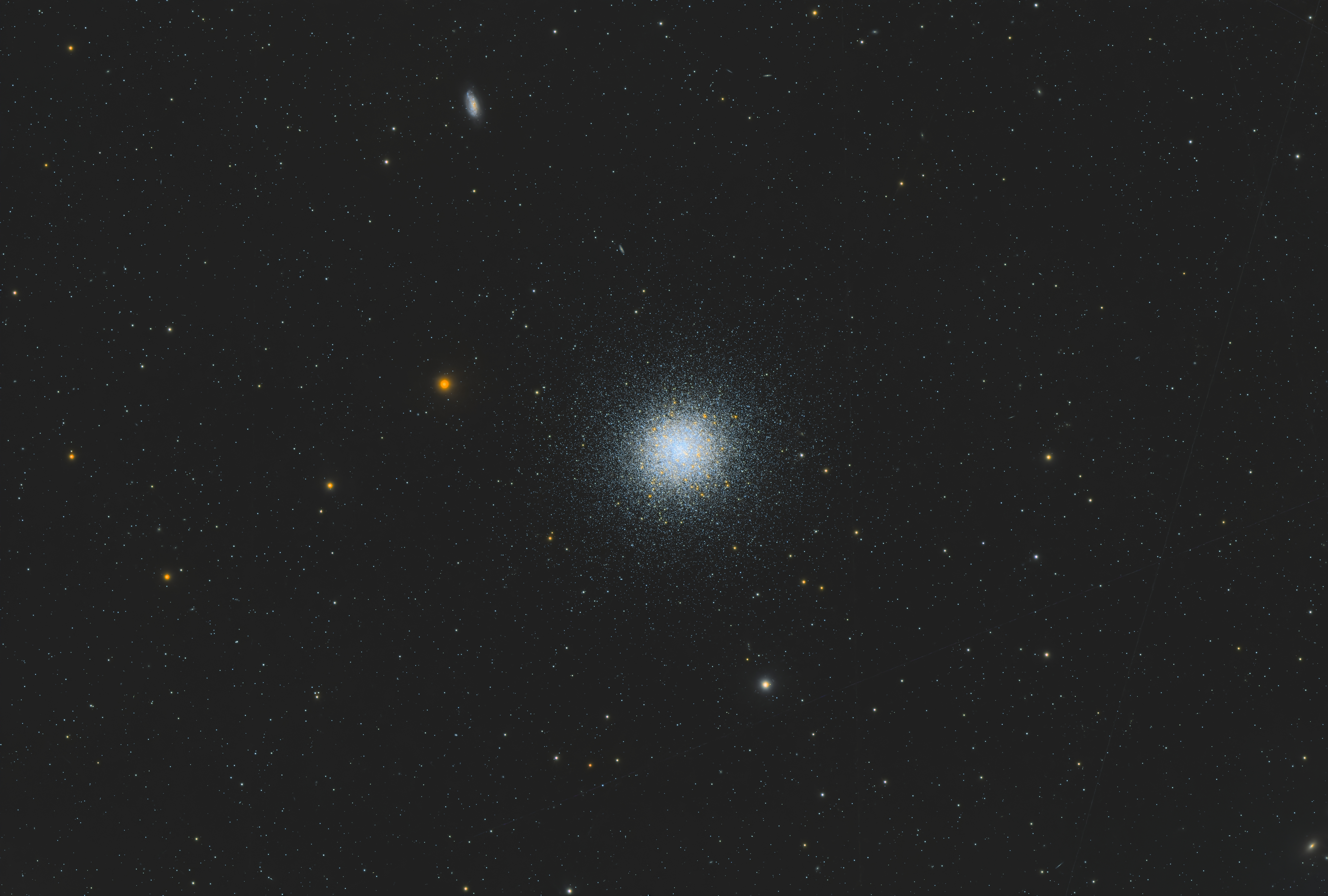

Messier 13 was discovered by Edmond Halley in 1714, and cataloged by Charles Messier on June 1, 1764,
and added to his list of objects not to mistake for comets - the Messier's list.
Messier 13 is often described by astronomers as the most magnificent globular cluster visible to northern observers.
The cluster is 22,200 to 25,000 light-years away from Earth and about 148 light-years in diameter. It contains over 300,000 stars
making it a show piece cluster in the northern sky.
Click on the image to see an annotated version showing some of the other objects in the field, click again to see a higher resolution version of the image
and once more to return to this page.
For more details on M13, visit the M13 page on Wikipedia
| RA: | 16:41:41 |
| Dec: | +36:28:01 |
| Date: | 15 July, 2025 |
| Exposure: | 180 minutes (18 X 10 minutes) |
| Conditions: | Bortle 4 to 5 skies, but a bright Moon in the sky. |
| Gain: | 100 |
| Camera: | Zwo ASI2600MC-Pro |
| Optics: | Prime focus of a SkyWatcher Esprit 120 f/7 APO refractor with a focal length of 840 mm |
| Filter: | None |
| Location: | Marion Bridge, Nova Scotia |
Processed entirely in PixInsight using several plug-ins, Blur Exterminator for deconvolution, Noise Exterminator for noise reduction, GHS for stretching, Seti-Astro
suite for gradient removal and StarNet++ to produce a starless image.
1. Calibration, stacking and drizzle combining, increasing the resolution by 2, done using the WBPS.
2. Deconvolution using Blur Exterminator.
3. Spectrophotometric Colour Calibration used to calibrate the colour of the image and remove the green cast.
4. Gradient removal using Seti-Astro's Automatic DBE.
5. Noise reduction using Noise Exterminator with three iterations.
6. The image was stretched using GHS in colour mode.
7. StarNet++ was used to produce a starless image and PixelMath was used to produce a star only image.
8. The starless image was slightly blurred with a mask to isolate the effect to the core of the cluster.
9. Image luminance extracted.
10. Convolution used to slightly blur the colour star image to remove odd colour halos made by GHS.
11. Saturation increased using GHS in saturation mode.
12. The LRGB tool was used to combine the star luminance image with the star colour image. This produces a better colour star image than GHS alone. Image ID set to s.
13. Pixel math used to recombine the star image with the galaxy image with StarOnlyImage + StarlessImage as the combination expression.
14. ICC profile set to sRGB.
15. Image stored then binned by two for web upload and stored as a jpeg.